The mKsiegowa.pl online accounting program allows you to issue sales invoices for previously created delivery note (WZ) documents.
Invoice for a delivery note (WZ), straight after entry
After a delivery note (WZ) document is entered, a screen appears containing a link for directly entering a sales invoice for that document:
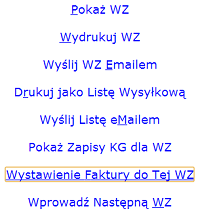
Invoice for a previously entered delivery note (WZ)
You can issue sales invoices for previously entered delivery note (WZ) documents. To do this, use the Issue Invoice for WZ option in the Sales menu.
Entering a sales invoice
An invoice can be entered with 1 click - just review the screen and click Process invoice.
The program copies the data from the WZ to the invoice. The data can be changed before saving (with some restrictions). By clicking the  icon you can:
- change the service on the invoice (the change currently does not work for goods)
- reduce the quantities of items on the invoice; an increase is not possible