Introduction
Dimensions in the online accounting program mKsiegowa.pl are a mechanism that allows you to account for projects, company departments or cost centres (so-called MPK - cost centre), outside the main Chart of Accounts.
Enabling the dimensions mechanism in the program
Before you start working with dimensions in the program, they must be con
How to work with dimensions for different types of documents
After the dimensions mechanism is enabled, in many places it becomes possible to specify a dimension for each type of document.
Items master file
In the items master file, after the dimensions mechanism is enabled, it becomes possible to select a default dimension for each master file item.

Dimension settings in the master file are used to assign the selected master file item on purchase and sales invoices to that dimension. Further on we discuss how to use such dimension assignment for better reporting of the profitability of projects or cost centres.
Customers master file
In the customers master file it becomes possible to select a default dimension for each customer.
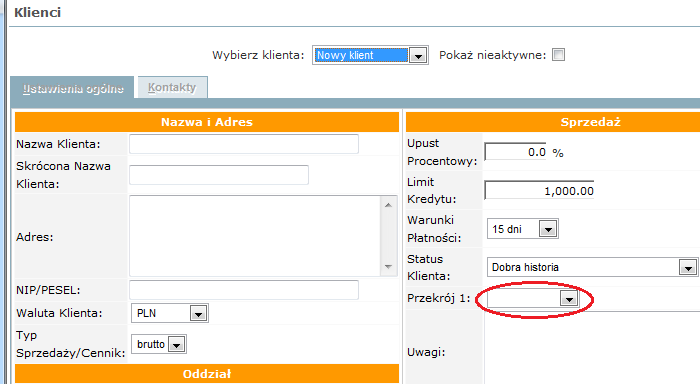
Default dimensions set in the master file allow sales documents issued to that customer to be assigned to a specific dimension.
Suppliers master file
In the suppliers master file it becomes possible to select a default dimension for each supplier.
Default dimensions set in the master file allow purchase documents from that supplier to be assigned to a specific dimension. In this way you can accumulate costs within a given project or Cost Centre.
Purchase invoices
In the purchase invoice header it becomes possible to select the dimension to which the document will be assigned. With the Default setting, the invoice lines inherit the dimension from the settings of the item in the items master file, or from the counterparties master file if no dimension is set in the items master file.
Sales invoice
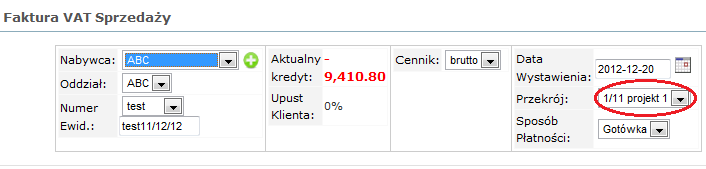
The algorithm for selecting the dimension for a sales invoice is as follows:
- by default the dimension is taken from the settings of the customer/buyer
- if the invoice has no dimension assigned, the dimension from the settings of the item in the items master file is used (if one is set there).
Journal entries, receipts and payments
In each line of a journal entry you can select the dimension to which the posting will be assigned.
Examples of use
Example of using dimensions to post projects.
Example of using dimensions to monitor project cash flow
Example of configuration for posting costs in dimensions.
Available functionality
- Defining Dimensions
- Outstanding Dimensions
- Dimensions Inquiry
- Dimension Reports -> Dimension Balances
Reports
Dimension reporting:
- Account transactions broken down by dimension
- Turnovers on accounts for each dimension
- Trial Balance
- Profit and Loss Statement
- some Reports of the Books of Account