

1. Introduction
Periodic Invoice (also called mass invoice, or recursive) is a tool that automates the process of invoicing in the accounting program online mKsiegowa.pl. It should be used in case of multiple invoices for a particular counterparty or group of counterparties, in subsequent periods.
Invoices periodic (mass) is used najcześniej for:
- The provision of services paid for by subscription
- Accounting tuition in schools and colleges
- Invoicing for rent and utilities
Accounting program mKsiegowa.pl also allows for semi- automatic settlement payments for invoices mass by:
- Online payment systems
- Mass payments related to the individual bank account numbers broadcasts customers
2. Prepare customer data
Periodic Invoices can prepare and issue for individual clients or for customer groups. Configuration of periodic invoices for the customer group makes sense when a certain group of customers receives an invoice mass followed the same pattern and the same day. You can define multiple groups of customers.
3. The assignment of the client group
Assign the client to the selected group in the following steps:
1. Sales -> Branches clients
2. Select the client from the list
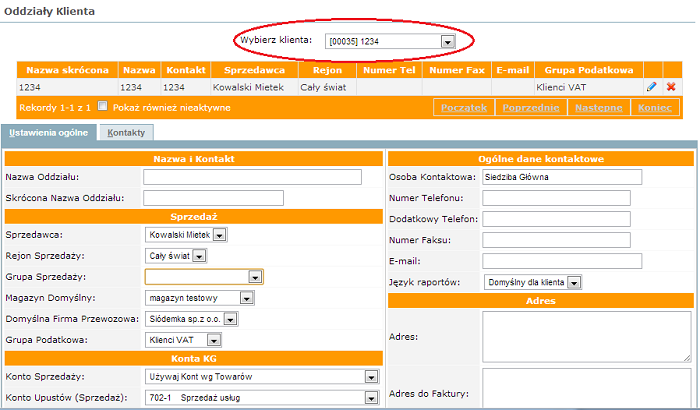
3. Return to modify the branch by clicking on the icon on the right side of the screen.
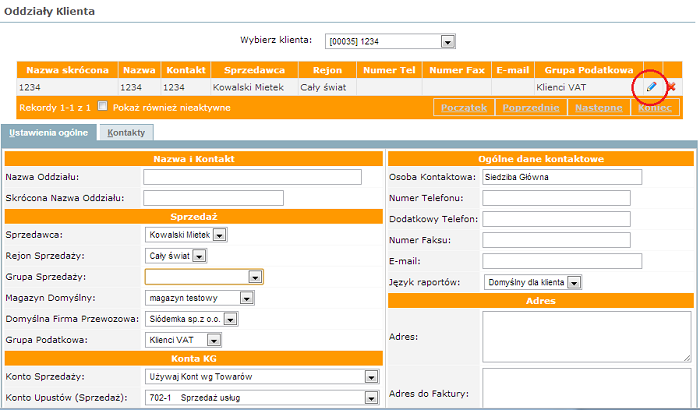
4. Select the group sales
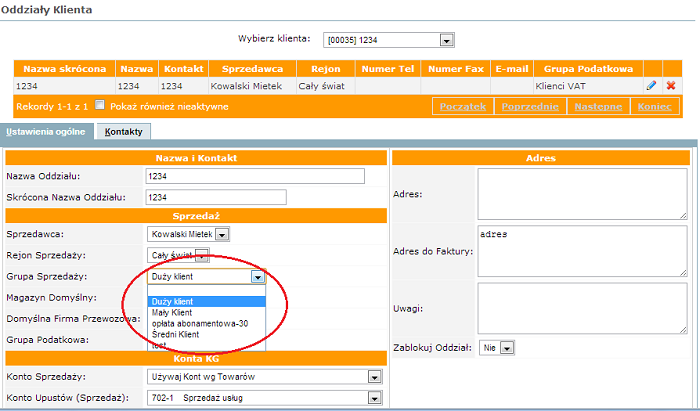
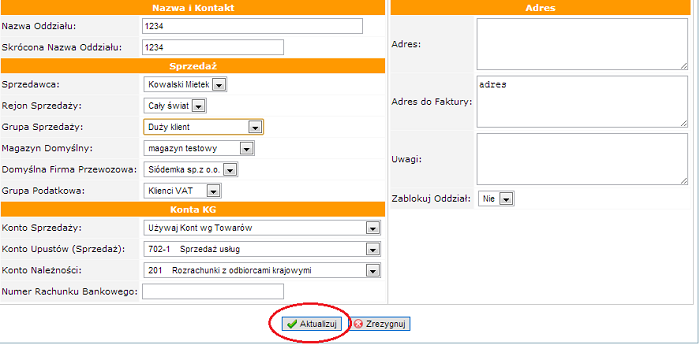
5. Update
Note:
- Periodic invoice created for a group of customers will be issued for the entire group. If you do not want to make the invoice has been generated for a particular client, assign him to another group.
- A list of customers for each group you can see the sales reports -> Statement of Customer Data; select Filter = Group Sales and select the group for which you want to check the list of clients
4. Periodic invoices Configuration
To use the periodic invoice, you first need to configure. Configuration is available in the module Sale -> Care -> Recurrent Invoices - Configure.
5. Periodic invoicing
Invoices are issued on the module Sales -> Recurrent Invoice. Earlier you issue an invoice prepared by clicking on the icon Generate Invoices  on the right side.
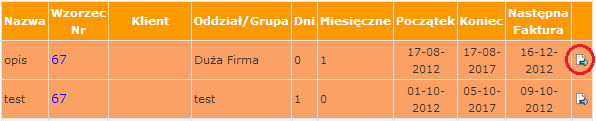
If the icon Generate Invoices does not appear in the periodic invoice means that the invoice for the current period has been generated. The icon will appear if the current date is greater than the date in the column Next invoice. In special cases, the date can be changed in the Recurrent Invoices.
Invoices waiting for the issue are marked in orange.
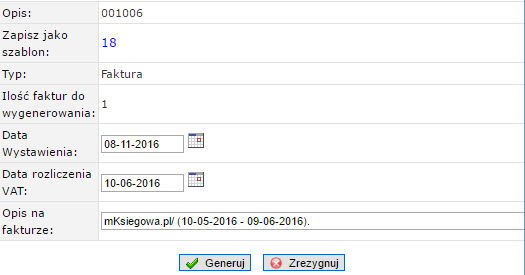
When you click the icon the program will check the amount of generated invoices and description that will be placed on each invoice. The screen has the following form:
NOTE:
- Accounting system mKsiegowa.pl itself does not issue Invoices Selling, only it generates based on a defined pattern. When you click the Generate Invoices with the selected invoice will be generated and posted to the client or group of clients;
- Invoice can be configured as VAT invoices or bills do not contain tax; configuration depends on the Customers;
- For invoices are not generated cash payment documents KP.
- On-screen invoicing to avoid periodic refresh the page in your browser; such action may cause a re-issue of the last interim invoice (if not, the deadline for the issue).
6. Calculating prices on invoices
During periodic invoicing program calculates the prices on the invoices for each customer according to the following algorithm:
- Price is taken from list set in the client directory; the program checks whether the pricing has saved the price in the currency of the customer files for items specified in Contract reference,
- If the price list price is not set, the program checks whether the pricing base (set in General settings) has recorded the price in the currency of the customer,
- If the client has defined the currency and price in this currency is not specified in the list, but is embedded in the price list price in PLN, the program will calculate the price,
- If there are no prices in the price lists, price is charged with contract reference,
- Program tries to calculate the price of the cost of acquisition of the goods after taking into account the coefficient of the General settings.
7. Printing and Shipping by email
After exposure , accounting program online mKsiegowa.pl, propose to print, or send invoices generated email to customers.
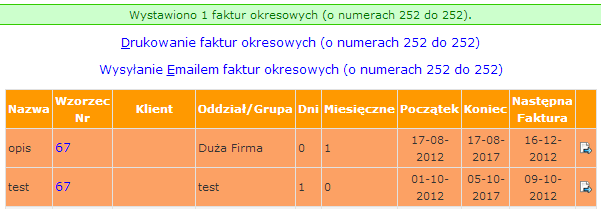
First click on the link Print invoices periodic to check if set up correctly. Then click on the link e-mail I send invoices periodic. All invoices will be sent to the address email customers.
Print format invoices can have two forms:
- Standard form Print Invoice
- Print invoices mass containing the form of payment; how to configure the mass payments includes setting the size of the print and the individual bank accounts printed on the invoice